

Are you struggling with converting HTML to high-quality PDFs and images? Look no further!
MarkupGo offers an all-in-one API solution to streamline your document and image generation workflows. With its powerful features and affordable lifetime deals, it’s a game-changer for businesses and developers alike. MarkupGo’s platform simplifies the process of creating and managing reusable templates. You can generate consistent, professional-quality PDFs and images from URLs, HTML, CSS, and JavaScript templates. The high-fidelity conversion ensures accurate rendering, supporting dynamic elements like SVGs and emojis. Plus, the image transformation API lets you resize, crop, rotate, and apply filters to optimize images. Ready to automate your image and PDF conversions? Check out the MarkupGo Lifetime Deal now!

Credit: www.youtube.com
Introduction To Markupgo
MarkupGo is a versatile API platform. It is designed to generate high-quality PDFs and images from URLs, HTML, CSS, and JavaScript templates. This tool simplifies the process of creating and managing reusable templates for various documents and images.
What Is Markupgo?
MarkupGo is an all-in-one API platform. It helps automate image and PDF conversions. The platform generates high-quality PDFs and images from different sources. These sources include URLs, HTML, CSS, and JavaScript templates.
Purpose And Benefits Of Markupgo
MarkupGo streamlines document and image generation workflows. It ensures consistent, professional-quality output every time. Automating the conversion process saves time and effort. The platform is customizable to meet specific branding or content needs.
Here are some key benefits:
- Dynamic Templates: Create and manage reusable templates using HTML, CSS, and JavaScript.
- High-Fidelity Conversion: Convert web pages to PDFs or images with accurate rendering, supporting SVGs, emojis, and custom elements.
- HTML to PDF/Image Conversion: Generate high-quality PDFs and images directly from HTML content, supporting dynamic elements.
- Image Transformation API: Resize, crop, rotate and apply filters to images for optimization.
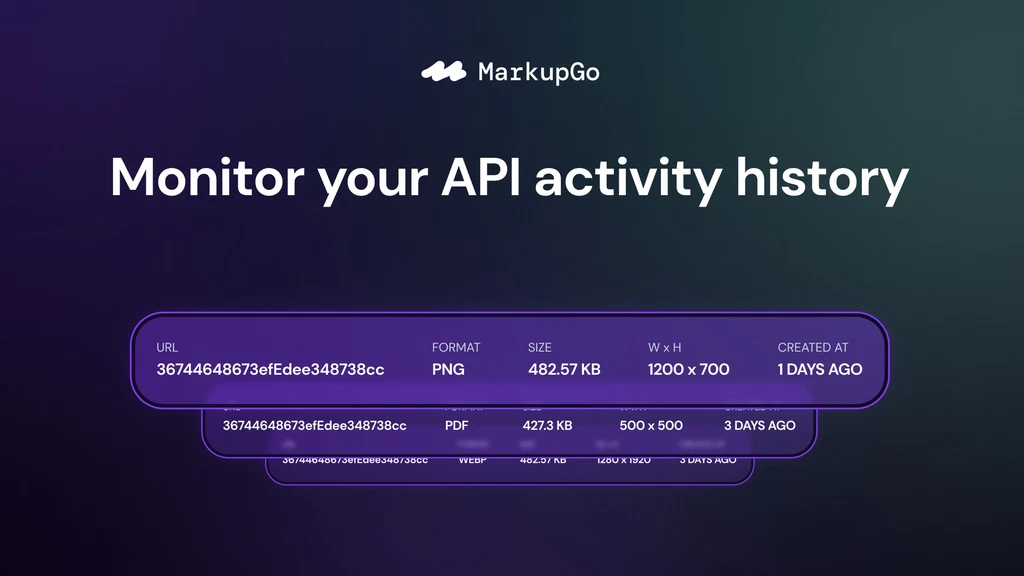
- Usage Monitoring: Track downloads and bandwidth usage with detailed reports.
MarkupGo offers three pricing plans:
| Plan | Price | Credits Per Month | Templates | Full API Access | Image Transformation API |
|---|---|---|---|---|---|
| Plan 1 | $49 (originally $348) | 1,000 | 10 | Yes | No |
| Plan 2 | $98 (originally $696) | 3,000 | 30 | Yes | Yes |
| Plan 3 | $147 (originally $1,044) | 5,000 | Unlimited | Yes | Yes |
MarkupGo also offers a 60-day money-back guarantee. This allows users to try the platform for 2 months to ensure it meets their needs.

Credit: www.youtube.com
Key Features Of Markupgo
Credit: appsumo.com
MarkupGo is a powerful platform designed to automate image and PDF conversions. This tool is packed with essential features, making it a valuable asset for developers and businesses. Here are some of the key features that make MarkupGo stand out:
Real-time Collaboration Tools
MarkupGo offers robust real-time collaboration tools. Teams can work together seamlessly, ensuring all changes are instantly visible to everyone. This feature eliminates the need for back-and-forth email exchanges, speeding up the workflow.
Extensive Template Library
The platform boasts an extensive template library. Users can create and manage reusable templates using HTML, CSS, and JavaScript. This library simplifies the process of generating consistent and high-quality documents and images.
User-friendly Interface
MarkupGo features a user-friendly interface. It is designed to be intuitive, ensuring even non-technical users can navigate and utilize the platform effectively. The straightforward layout makes it easy to find and use all available tools.
Advanced Design Customization
With advanced design customization options, users can tailor their templates to meet specific needs. The platform supports SVGs, emojis, and custom elements, ensuring every document or image is unique and professional.
Cloud Storage And Access
MarkupGo provides cloud storage and access. Users can store their templates and outputs securely in the cloud, ensuring they are accessible from anywhere. This feature is perfect for teams working remotely or across different locations.
| Plan | Credits per Month | Templates | API Access | Image Transformation API |
|---|---|---|---|---|
| Plan 1 | 1,000 | 10 | Full | No |
| Plan 2 | 3,000 | 30 | Full | Yes |
| Plan 3 | 5,000 | Unlimited | Full | Yes |
With these features, MarkupGo simplifies the process of creating, managing, and converting documents and images. It is a comprehensive solution for developers and businesses alike.
Pricing And Affordability
Credit: appsumo.com
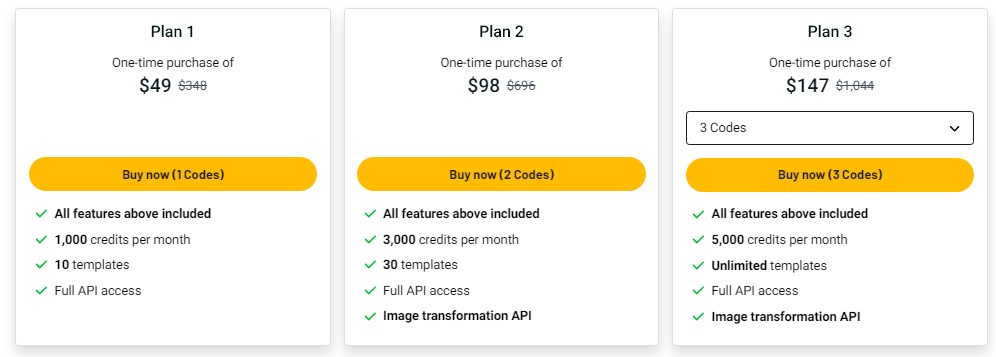
MarkupGo offers a range of pricing plans tailored to fit different needs and budgets. With the lifetime deal, you can save significantly compared to the subscription model. Let’s delve into the details.
Overview Of Lifetime Deal
The MarkupGo Lifetime Deal presents an opportunity to access premium features at a fraction of the original price. Here’s a breakdown:
| Plan | Original Price | Lifetime Deal Price | Credits per Month | Templates | Full API Access | Image Transformation API |
|---|---|---|---|---|---|---|
| Plan 1 | $348 | $49 | 1,000 | 10 | Yes | No |
| Plan 2 | $696 | $98 | 3,000 | 30 | Yes | Yes |
| Plan 3 | $1,044 | $147 | 5,000 | Unlimited | Yes | Yes |
Comparison With the Subscription Model
In a subscription model, users pay a recurring fee to access the service. Let’s compare:
- Plan 1: Monthly cost of $29 (Annual total: $348)
- Plan 2: Monthly cost of $58 (Annual total: $696)
- Plan 3: Monthly cost of $87 (Annual total: $1,044)
By opting for the lifetime deal, you make a one-time payment and avoid ongoing costs. This is especially beneficial for long-term users.
With the lifetime deal, you get:
- Significant savings compared to annual subscriptions.
- Access to all future updates without extra costs.
- Peace of mind with a 60-day money-back guarantee.
These benefits make MarkupGo’s lifetime deal a wise choice for cost-conscious users.
Pros And Cons Of Markupgo
MarkupGo offers a comprehensive solution for automating image and PDF conversions. Like any tool, it has its pros and cons. This section explores the advantages and potential drawbacks of using MarkupGo.
Pros: Advantages Of Using Markupgo
- Dynamic Templates: Easily create and manage reusable templates with HTML, CSS, and JavaScript.
- High-Fidelity Conversion: Converts web pages to PDFs or images with accurate rendering. Supports SVGs, emojis, and custom elements.
- HTML to PDF/Image Conversion: Generates high-quality PDFs and images directly from HTML content. Supports dynamic elements for added flexibility.
- Image Transformation API: Resize, crop, rotate and apply filters to images. Optimizes images for performance and quality.
- Usage Monitoring: Tracks downloads and bandwidth usage with detailed reports. Helps manage resources effectively.
- Consistent Output: Ensures professional-quality output. Ideal for web applications and print media.
- Time-Saving: Automates the conversion process. Saves time and effort.
Cons: Potential Drawbacks To Consider
- Pricing: The initial cost might seem high. Plan 1 starts at $49 per month.
- Learning Curve: Requires some technical knowledge. Not suitable for complete beginners.
- Credit Limits: Monthly credit limits may restrict heavy users. Plan 1 offers 1,000 credits per month.
MarkupGo offers three pricing plans. Here is a detailed comparison:
| Plan | Price (Discounted) | Credits/Month | Templates | Full API Access | Image Transformation API |
|---|---|---|---|---|---|
| Plan 1 | $49 | 1,000 | 10 | Yes | No |
| Plan 2 | $98 | 3,000 | 30 | Yes | Yes |
| Plan 3 | $147 | 5,000 | Unlimited | Yes | Yes |
All plans come with a 60-day money-back guarantee. You can try out MarkupGo for 2 months to ensure it meets your needs.
Ideal Users And Scenarios
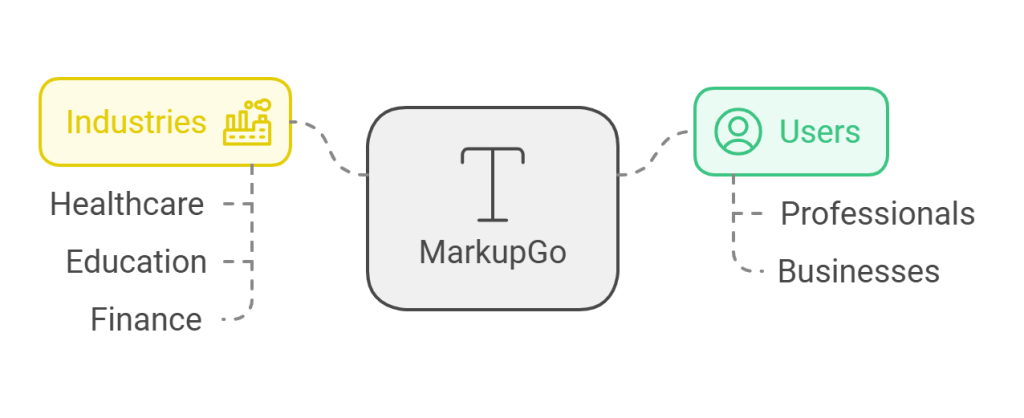
MarkupGo offers a comprehensive solution for automating image and PDF conversions. It caters to a diverse range of users and scenarios, making it a versatile tool for professionals and businesses of various sizes. Let’s explore who benefits the most from MarkupGo and how it can be utilized in different industries.
Best For Freelancers And Small Businesses
MarkupGo is an excellent choice for freelancers and small businesses looking to streamline their document and image generation workflows. Here are some key reasons why:
- Cost-Effective Plans: With plans starting at $49, freelancers and small businesses can access powerful features without breaking the bank.
- Time-Saving Automation: Automate the creation of high-quality PDFs and images, saving valuable time and effort.
- Customizable Templates: Create and manage reusable templates using HTML, CSS, and JavaScript, ensuring consistent branding and professional quality.
- Dynamic Conversion: Convert web pages to PDFs or images with accurate rendering, supporting dynamic elements like SVGs and custom elements.
Use Cases For Markupgo In Various Industries
MarkupGo’s versatility makes it suitable for a variety of industries. Here are some specific use cases:
| Industry | Use Case |
|---|---|
| E-commerce | Generate product catalogs and promotional materials in PDF format for easy distribution. |
| Marketing | Create high-quality marketing collateral and reports with customizable templates. |
| Education | Produce academic materials, including syllabi and study guides, in a consistent format. |
| Real Estate | Generate property brochures and listings with high-quality images and detailed descriptions. |
| Legal | Convert legal documents and contracts to PDFs for secure and professional presentation. |
MarkupGo is a valuable tool for freelancers, small businesses, and various industries. Its ability to automate and customize document and image creation workflows makes it indispensable for those seeking efficiency and professional quality.
Credit: bestlifetimo.com
Frequently Asked Questions
What Is Markupgo Lifetime Deal?
Markupgo Lifetime Deal offers a one-time payment for lifetime access. It provides premium features without recurring fees. Ideal for long-term usage.
How Does Markupgo Lifetime Deal Work?
You pay once for lifetime access to Markupgo. Enjoy all features and future updates without additional costs.
What Features Are Included In Markupgo Lifetime Deal?
The deal includes all premium features. You get unlimited projects, advanced tools, and future updates at no extra cost.
Is Markupgo Lifetime Deal Worth It?
Yes, it’s cost-effective for long-term use. You save on recurring subscription fees and get continuous updates.
Conclusion
The benefits of MarkupGo today. This powerful API simplifies PDF and image conversion. It saves time and ensures high-quality output. Perfect for businesses needing efficient document and image generation. Want to learn more? Check out MarkupGo Lifetime Deal and streamline your workflow with ease. With various pricing plans, it fits different needs and budgets. Try it risk-free with the 60-day money-back guarantee. Save effort and improve your productivity. MarkupGo is the solution for seamless conversion tasks.