

Keeping your website visitors engaged is crucial. Introducing the Contact Button Lifetime Deal, a game-changer for enhancing user interaction and generating leads.
This all-in-one widget offers a seamless experience, making it easier for your audience to connect with your business. Contact Button centralizes essential tools and information through customizable communication channels. It integrates with popular tools like Calendly, Mailchimp, and WhatsApp, making it a versatile addition to any website. With real-time updates, you can instantly improve functionality without needing a developer. Whether you run a small business or a marketing agency, Contact Button can help you streamline site engagement and increase interactions. Ready to transform your website into an interactive hub? Check out the Contact Button Lifetime Deal here.

Credit: www.linkedin.com
Introduction To Contact Button Lifetime Deal
Looking to improve website engagement and capture new leads effortlessly? The Contact Button Lifetime Deal might be your perfect solution. This all-in-one website widget provides instant access to essential tools and information, ensuring a seamless user experience. Let’s dive into the details of this fantastic offer.
What Is a Contact Button?
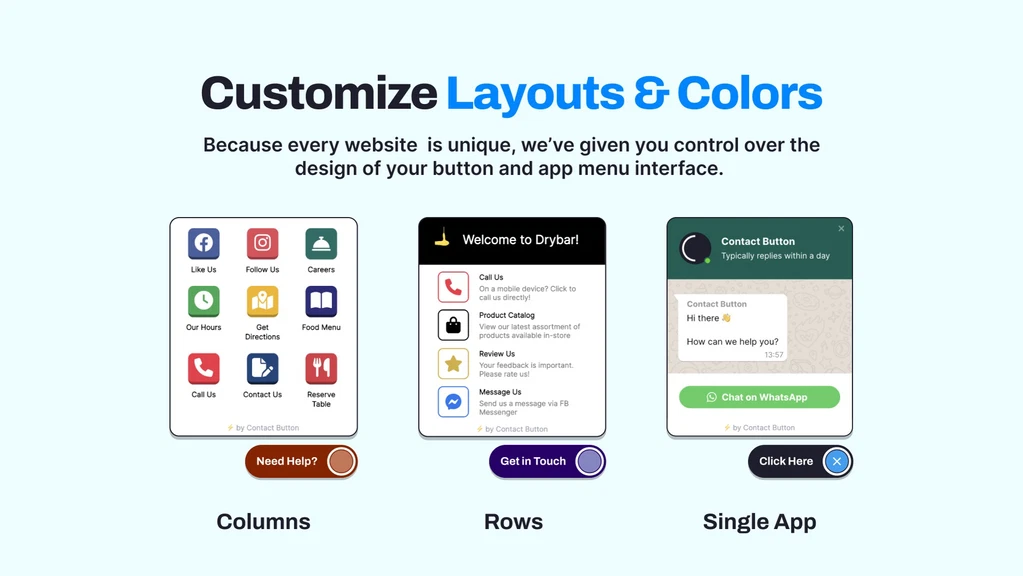
Contact Button is a versatile website widget designed to boost user engagement. It provides customizable communication channels, making it easy for visitors to interact with your site. The widget includes various apps like contact forms, email subscriptions, and business hours. It integrates with popular tools such as Calendly, Mailchimp, and tawk.to WhatsApp, and WordPress.
Credit: appsumo.com
Purpose And Benefits Of The Lifetime Deal
The Contact Button Lifetime Deal offers numerous benefits. Here’s a closer look:
- Customizable Widget Menu: Choose from 15 different widget apps to suit your needs.
- Integrations: Seamlessly connect with tools like Calendly and Mailchimp.
- Personalization: Customize layouts, colors, and fonts for a branded experience.
- Real-Time Updates: Enhance functionality instantly without a developer.
- Streamline Site Engagement: Centralize key information for easy navigation.
- Increase Interactions: Turn every page into a lead generator.
- Smartphone-Like Experience: Offer visitors a familiar, mobile app-like interface.
Pricing Details
| Plan | Price | Features |
|---|---|---|
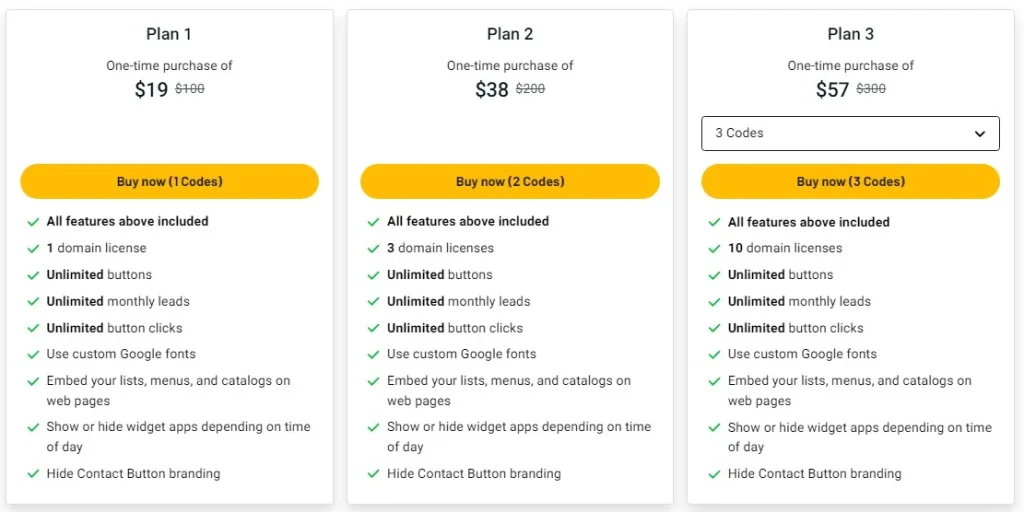
| Plan 1 | $19 (originally $100) | 1 domain license, unlimited buttons, leads, and clicks, custom Google fonts, embed lists, menus, catalogs, show/hide widget apps based on time of day, hide Contact Button branding |
| Plan 2 | $38 (originally $200) | 3 domain licenses, all features of Plan 1 |
| Plan 3 | $57 (originally $300) | 10 domain licenses, all features of Plan 1 |
Refund or Return Policies
- Money-Back Guarantee: 60-day money-back guarantee.
- Lifetime Access: One-time payment for lifetime access with future updates.
- Redemption: Redeem code(s) within 60 days of purchase.
- Code Stacking: Stack up to 5 codes; each workspace supports a single login.

Credit: www.linkedin.com
Key Features Of Contact Button
Contact Button is an all-in-one website widget designed to enhance user engagement and capture new leads. This section explores the key features that make Contact Button a must-have tool for any website.
Easy Integration With Websites
Contact Button seamlessly integrates with popular tools and platforms such as Calendly, Mailchimp, and tawk.to WhatsApp, and WordPress. This ensures that you can easily add the widget to your site without needing a developer. The integration process is straightforward, allowing you to set it up quickly and start capturing leads immediately.
Customizable Button Designs
The Contact Button, you can personalize the widget to match your brand’s look and feel. Customize layouts (columns, rows, single app), and colors, and even use custom Google fonts. This ensures that the button blends seamlessly with your website’s design, providing a cohesive user experience.
Real-time Analytics And Tracking
The real-time updates feature of the Contact Button allows you to instantly enhance functionality. Monitor user interactions through real-time analytics and tracking. This data helps you understand user behavior and make informed decisions to improve engagement and capture more leads.
Multi-channel Contact Options
Contact Button offers a variety of multi-channel contact options. These include contact forms, email subscriptions, and business hours. This feature ensures that visitors can reach you through their preferred communication method. By providing multiple contact options, you increase the chances of capturing new leads and enhancing user engagement.
Below is a table that summarizes the key features of Contact Button:
| Feature | Description |
|---|---|
| Easy Integration | Integrates with Calendly, Mailchimp, and tawk.to, WhatsApp, and WordPress |
| Customizable Designs | Personalize layouts, colors, and use custom Google fonts |
| Real-time Analytics | Monitor user interactions and make data-driven decisions |
| Multi-channel Contact | Offers contact forms, email subscriptions, and business hours |
Contact Button provides a comprehensive solution to enhance user engagement and capture new leads. With its array of features, it transforms your website into an interactive hub, ensuring a seamless and branded experience for your visitors.
Pricing And Affordability Of The Lifetime Deal
The Contact Button offers a powerful widget to enhance user engagement on websites. It provides a cost-effective solution for businesses of all sizes. Here’s an in-depth look at the pricing and affordability of the Contact Button Lifetime Deal.
One-time Purchase Vs. Subscription Models
One of the standout features of the Contact Button Lifetime Deal is its one-time payment model. This contrasts sharply with the traditional subscription models that require ongoing monthly or annual fees. Let’s break it down:
| Plan | One-time Payment | Subscription Model Equivalent |
|---|---|---|
| Plan 1 | $19 (originally $100) | $10/month x 12 months = $120/year |
| Plan 2 | $38 (originally $200) | $20/month x 12 months = $240/year |
| Plan 3 | $57 (originally $300) | $30/month x 12 months = $360/year |
Credit: appsumo.com
With a one-time purchase, you get lifetime access to all features, including future updates. This eliminates the hassle and expense of recurring payments, providing long-term savings and peace of mind.
Cost-Effectiveness for Businesses
The Contact Button Lifetime Deal is incredibly cost-effective for businesses. Here are some key benefits:
- Unlimited Buttons, Leads, and Clicks: Maximize your engagement potential without worrying about extra costs.
- Customizable Options: Personalize your widget to match your brand and user needs.
- Multiple Domain Licenses: With Plan 2 and Plan 3, you can use the widget on multiple domains, making it ideal for businesses with several websites.
- No Developer Needed: Easy setup means you save on development costs.
For marketing agencies, small businesses, and web design agencies, the Contact Button offers an affordable way to enhance website functionality and capture new leads.
The money-back guarantee and lifetime access ensure that you are making a risk-free investment. You can try the Contact Button for 60 days, and if it doesn’t meet your needs, you can get a full refund.
Pros And Cons Of Contact Button
The Contact Button is a versatile website widget that aims to increase user engagement and capture new leads. Below, we will explore its advantages and potential limitations to help you decide if it’s the right tool for your website.
Advantages Of Using Contact Button
The Contact Button offers several benefits that make it a valuable addition to any website:
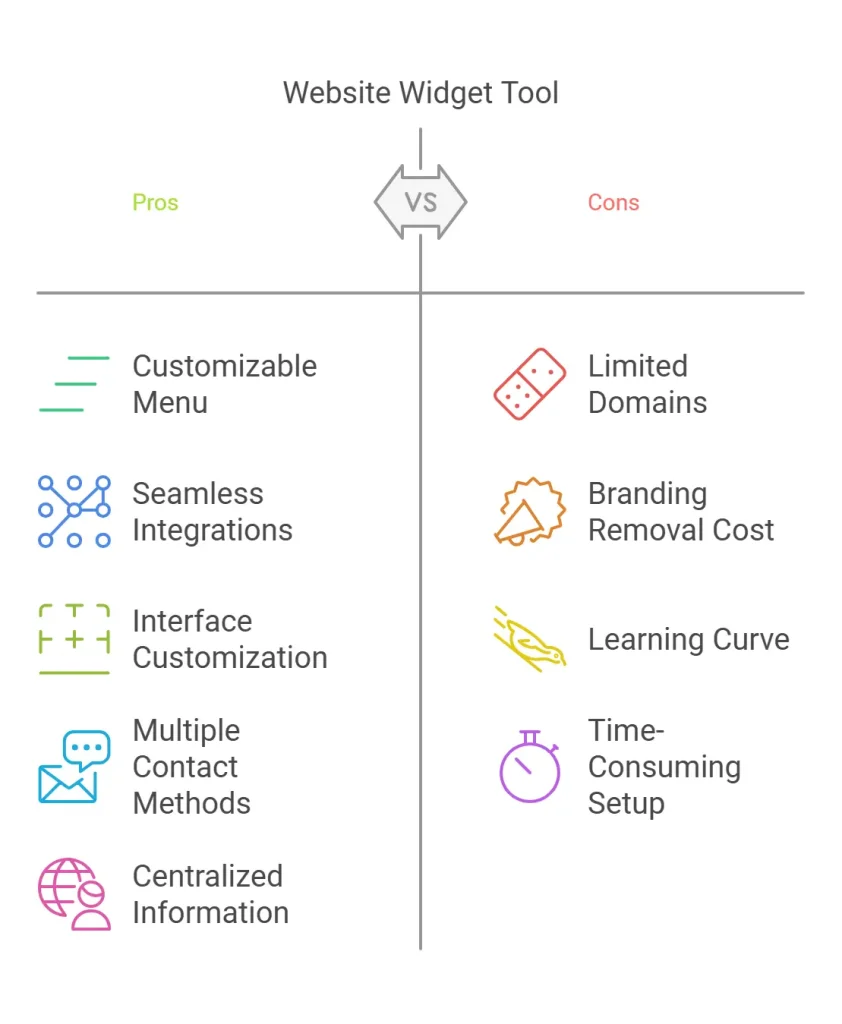
- Customizable Widget Menu: It provides 15 different widget apps, including contact forms, email subscriptions, and business hours. This allows you to tailor the widget to meet your specific needs.
- Seamless Integrations: Integrates easily with popular tools like Calendly, Mailchimp, and tawk.to WhatsApp and WordPress, streamlining your workflow.
- Personalization: Customize layouts, colors, and fonts to match your brand, providing a cohesive experience for your visitors.
- Real-Time Updates: Instantly enhance functionality with real-time updates, ensuring your widget is always up-to-date.
- No Developer Needed: The setup is simple and doesn’t require a developer, saving you time and money.
Potential Drawbacks And Limitations
The Contact Button offers many advantages, but there are some potential drawbacks and limitations to consider:
- Single Login Limitation: Each workspace supports only a single login, which may not be ideal for teams requiring multi-user access.
- Code Redemption Requirement: You must redeem your code(s) within 60 days of purchase, which may be a constraint for some users.
- Code Stacking Limit: You can stack up to 5 codes, which might limit scalability for larger projects.
- Limited Multi-User Functionality: Currently, multi-user logins are not available, potentially impacting collaborative efforts.
The Contact Button provides a robust solution for enhancing user engagement and capturing leads, with a few limitations to keep in mind.
Ideal Users And Scenarios For Contact Button
The Contact Button is a versatile tool. It enhances user engagement and captures new leads. This section will explore the ideal users and scenarios for the Contact Button.
Best-suited Businesses And Websites
The Contact Button is best for marketing agencies, small businesses, and web design agencies. These users can leverage its customizable features and seamless integrations.
- Marketing Agencies: Facilitate communication and manage client interactions efficiently.
- Small Businesses: Capture leads and enhance customer engagement with minimal effort.
- Web Design Agencies: Integrate the Contact Button into client websites to offer a comprehensive contact solution.
Credit: appsumo.com
Scenarios Where Contact Button Shines
The Contact Button excels in various scenarios. Its features and integrations make it a valuable addition to any website.
- Lead Generation: Turn every page into a lead generator with contact forms and booking tools.
- User Engagement: Increase interactions through a central hub of essential tools and information.
- Mobile Experience: Offer a smartphone-like interface that feels familiar and easy to use.
- Brand Customization: Personalize the widget to align with your brand’s look and feel.
The Contact Button also supports real-time updates. This ensures your site remains up-to-date without needing a developer.
Its integration capabilities include tools like Calendly, Mailchimp, and tawk.to WhatsApp, and WordPress. This makes it a versatile option for various needs.
| Plan | Price | Features |
|---|---|---|
| Plan 1 | $19 |
|
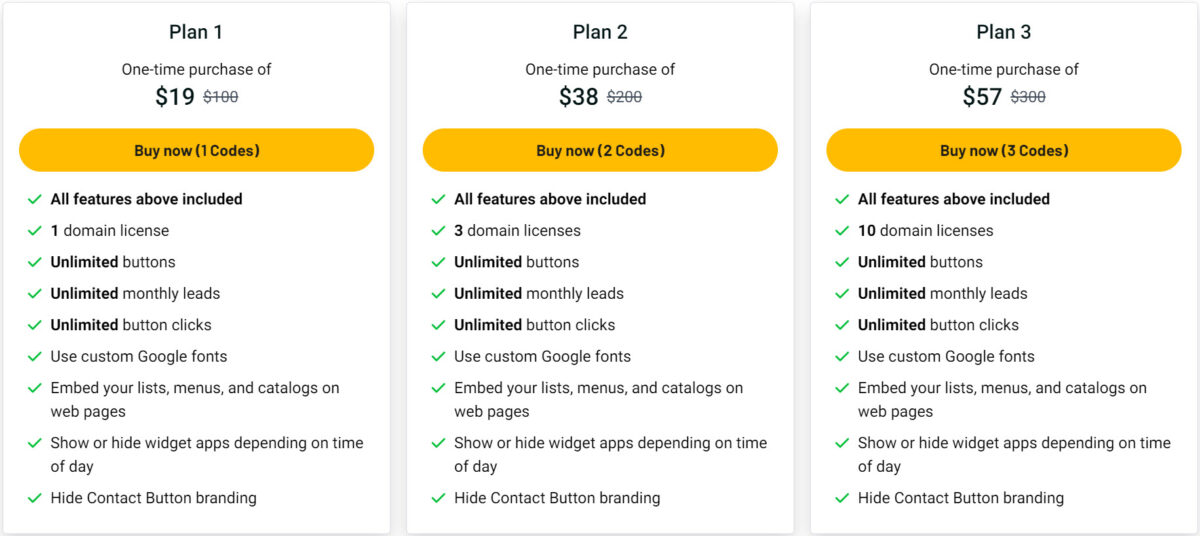
| Plan 2 | $38 | All features of Plan 1 + 3 domain licenses |
| Plan 3 | $57 | All features of Plan 1 + 10 domain licenses |
The Contact Button offers a 60-day money-back guarantee. This ensures it meets your needs without any risk. With a one-time payment, you get lifetime access and all future Max Plan updates.
Credit: lifetimo.com
Frequently Asked Questions
What Is A Contact Button Lifetime Deal?
A Contact Button Lifetime Deal is a one-time purchase. It provides users with lifetime access to a contact button tool. This tool simplifies communication for your website visitors.
How Does A Contact Button Lifetime Deal Work?
After purchasing, you get unlimited access to the tool. Integrate it into your website for seamless communication. No recurring fees are required.
What Are The Benefits Of A Lifetime Deal?
A lifetime deal eliminates recurring subscription costs. It provides long-term savings and uninterrupted access to the tool. It ensures consistent communication features on your website.
Is The Contact Button Customizable?
Yes, the Contact Button is highly customizable. You can adjust its appearance, placement, and functionality. This ensures it fits your website’s design and needs.
Conclusion
Contact Button enhances user engagement and captures more leads effortlessly. It integrates with popular tools and offers customization without needing a developer. Boost your website’s interaction with its unique features. Try the Contact Button for lifetime access and watch your leads grow. For more details, visit the official page.