

The pricing of MarkupGo is crucial for making an informed decision. This blog post will break down the different pricing plans available for this powerful API platform.
MarkupGo simplifies and automates the generation of high-quality PDFs and images. It caters to various needs, from HTML to PDF conversions to complex image transformations. But how much will it cost you? In this post, we’ll explore MarkupGo’s pricing options and see what each plan offers. Whether you’re a small business or a large enterprise, understanding the pricing structure will help you determine if MarkupGo fits your budget and requirements. Let’s dive into the details of each plan and find out which one is right for you. For more information, visit the official MarkupGo page here.
Credit: markupgo.com
Introduction To Markupgo Pricing
The pricing of MarkupGo is crucial. It ensures you get the best value for your needs. This section will help you learn about the different pricing plans available.
Overview Of Markupgo And Its Purpose
MarkupGo is an all-in-one API platform. It simplifies and automates the generation of high-quality PDFs and images. Users can convert URLs, HTML, CSS, and JavaScript templates into professional documents. Its main features include:
- Template Creation: Design and manage reusable templates.
- PDF/Image Generation: Convert web pages to PDFs or images.
- HTML to PDF/Image: Generate documents directly from HTML content.
- Image Transformation: Resize, crop, rotate and apply filters to images.
- Usage Monitoring: Track downloads and bandwidth.
MarkupGo ensures consistency, efficiency, customization, and performance optimization. It saves time and effort, making it a valuable tool for businesses and individuals alike.
Importance Of Choosing The Right Pricing Plan
Choosing the right pricing plan for MarkupGo is essential. It ensures you get the best features for your needs. Here are the available plans:
| Plan | Price | Features |
|---|---|---|
| Plan 1 | $49 | 1,000 credits/month, 10 templates, full API access. |
| Plan 2 | $98 | 3,000 credits/month, 30 templates, full API access, image transformation API. |
| Plan 3 | $147 | 5,000 credits/month, unlimited templates, full API access, image transformation API. |
Each plan offers different features and credit limits. Consider your needs carefully. This way, you can choose a plan that best fits your requirements. Remember, MarkupGo offers a 60-day money-back guarantee. This allows you to try the product and see if it meets your needs.
For more information, visit the official MarkupGo page.
Key Features Of Markupgo Plans
MarkupGo offers a range of plans designed to cater to different needs. Each plan comes with a set of robust features that enhance productivity and streamline workflows. Here are the key features of MarkupGo plans:
Comprehensive Collaboration Tools
MarkupGo provides a suite of tools that facilitate seamless collaboration. Teams can work together in real time, ensuring that everyone stays on the same page.
- Real-time Editing: Collaborate on documents and images with instant updates.
- Commenting: Leave comments and feedback directly on the document or image.
- Sharing Options: Easily share documents and images with team members and stakeholders.
Advanced Annotation And Markup Capabilities
With MarkupGo, users can take advantage of advanced annotation and markup features. These tools help in highlighting important information and providing clear instructions.
- Text Annotations: Add text comments and notes to your documents.
- Drawing Tools: Use drawing tools to mark up images and PDFs.
- Highlighting: Highlight text and sections for emphasis.
Seamless Integration With Other Software
MarkupGo integrates effortlessly with other software. This ensures a smooth workflow and enhances productivity.
- API Access: Full API access for easy integration with your existing systems.
- Compatibility: Works with popular file formats and software tools.
- Third-Party Integrations: Connect with other applications to extend functionality.
Customizable Workflows And Templates
MarkupGo allows users to customize workflows and templates. This ensures that the platform meets specific needs and preferences.
- Template Creation: Design and manage reusable templates using HTML, CSS, and JavaScript.
- Workflow Automation: Automate repetitive tasks to save time.
- Custom Elements: Add custom elements to templates for personalized documents and images.
Each plan is tailored to provide the best features for your needs. From basic tools to advanced capabilities, MarkupGo has a plan that fits your requirements.
Pricing And Affordability Breakdown

Credit: appsumo.com
The pricing structure of MarkupGo helps you choose the best plan for your needs. Here’s a detailed overview of each pricing tier, a cost-benefit analysis, and a comparison between the free and paid plans.
Detailed Overview Of Each Pricing Tier
MarkupGo offers three distinct pricing tiers to suit various needs and budgets:
| Plan | Price | Credits | Templates | Features |
|---|---|---|---|---|
| Plan 1 | $49 one-time | 1,000 credits/month | 10 templates | Full API Access |
| Plan 2 | $98 one-time | 3,000 credits/month | 30 templates | Full API access, Image transformation API |
| Plan 3 | $147 one-time | 5,000 credits/month | Unlimited templates | Full API access, Image transformation API |
Cost-benefit Analysis Of Markupgo Plans
- Plan 1: Ideal for small projects, offering 1,000 credits and 10 templates for $49. It provides full API access, making it a good entry point.
- Plan 2: For larger projects, it includes 3,000 credits and 30 templates at $98. Additional image transformation API adds value.
- Plan 3: Best for extensive use with 5,000 credits and unlimited templates at $147. Comprehensive features make it suitable for heavy users.
Free Vs. Paid Plans: What’s Included?
The paid plans offer more features compared to any free options. Here’s a quick comparison:
- Free Plan: Limited credits and templates, basic API access.
- Paid Plans: More credits, additional templates, full API access, and image transformation API.
Paid plans also include a 60-day money-back guarantee, ensuring satisfaction.
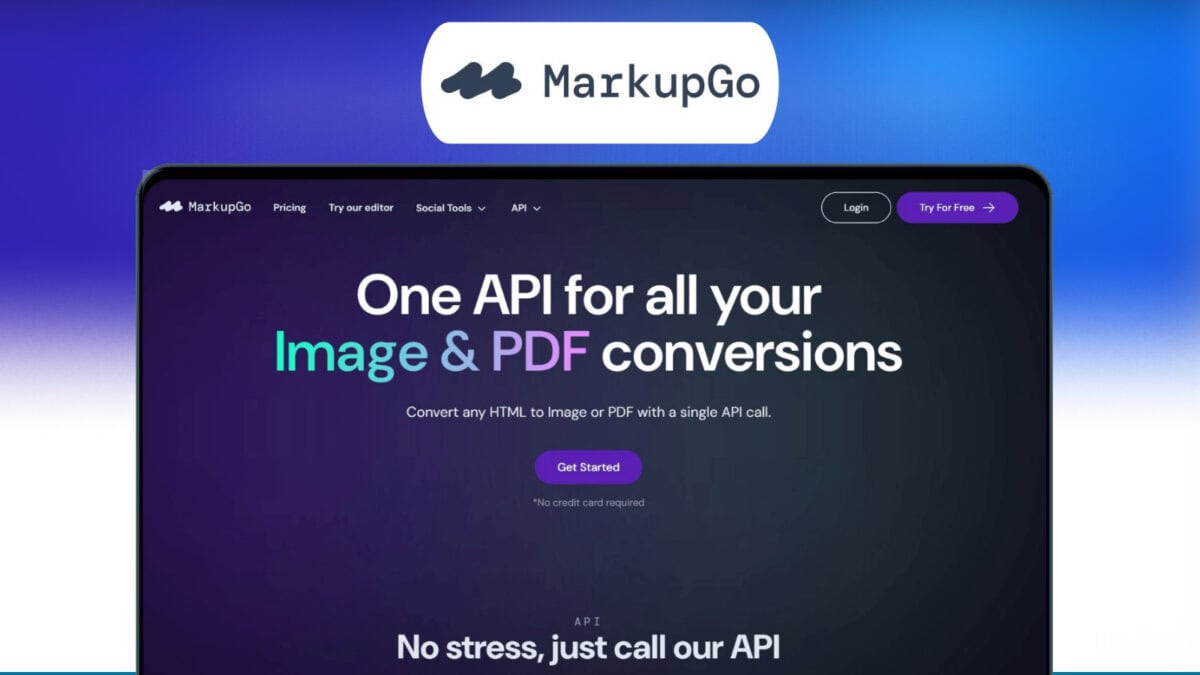
The pricing plans of MarkupGo are crucial for making an informed decision. Each plan comes with its own set of benefits and limitations. Here, we will delve into the pros and cons of MarkupGo pricing plans to help you choose the best fit for your needs.
Benefits Of Markupgo Pricing Plans
MarkupGo offers three distinct pricing plans, each designed to cater to different needs. Here are the benefits:
| Plan | Credits/Month | Templates | API Access | Image Transformation API |
|---|---|---|---|---|
| Plan 1 | 1,000 | 10 | Full | No |
| Plan 2 | 3,000 | 30 | Full | Yes |
| Plan 3 | 5,000 | Unlimited | Full | Yes |
- Cost-Effective: One-time purchase plans make it easier to budget.
- Scalability: Plans cater to different levels of usage needs.
- Lifetime Access: No recurring fees, providing long-term value.
- Flexibility: Stackable codes allow for additional credits and features.
Each plan includes a 60-day money-back guarantee. This ensures you can test the product for two months to see if it meets your needs. All future Lite Plan updates are included, so you stay current without extra cost.
Drawbacks And Limitations To Consider
MarkupGo pricing plans offer numerous benefits, but there are some drawbacks to be aware of:
- Initial Cost: The one-time purchase can be high upfront.
- Credit Limits: Monthly credit limits may not suffice for high-volume users.
- Template Restrictions: Lower-tier plans have limited templates.
- Image Transformation: Only available in higher-tier plans.
The plans are cost-effective in the long run, but the initial investment might be a barrier for some users. Additionally, the credit limits could restrict extensive usage. Lower-tier plans also limit the number of templates, which could hinder customization options. The image transformation API is only available in the higher-tier plans, restricting access to advanced features.
Ideal Users And Scenarios For Each Plan
MarkupGo offers flexible pricing plans to cater to various user needs. Whether you’re a small team, a large enterprise, or a freelancer, there’s a plan for you. Let’s explore the best plans for different user scenarios.
Best Plans For Small Teams And Startups
Small teams and startups benefit from Plan 1 and Plan 2. These plans offer affordable solutions with essential features.
| Plan | Price | Credits | Templates |
|---|---|---|---|
| Plan 1 | $49 | 1,000 credits/month | 10 templates |
| Plan 2 | $98 | 3,000 credits/month | 30 templates |
Plan 1 is suitable for teams with moderate usage needs. It includes full API access and supports up to 10 templates. Plan 2 is ideal for growing startups needing more credits and template options. It also includes the image transformation API for advanced image manipulation.
Optimal Plans For Large Enterprises
Large enterprises require more robust solutions. Plan 3 offers extensive features to meet high demands.
- Price: $147 one-time purchase
- Credits: 5,000 credits/month
- Templates: Unlimited
Plan 3 is perfect for enterprises needing high-volume document generation. It provides full API access and the image transformation API. With unlimited templates, enterprises can manage diverse document requirements efficiently.
Recommendations For Freelancers And Individual Users
Freelancers and individual users will find Plan 1 most suitable. It offers a cost-effective solution with sufficient features.
- Price: $49 one-time purchase
- Credits: 1,000 credits/month
- Templates: 10 templates
Plan 1 provides full API access, enabling freelancers to generate high-quality PDFs and images. It’s a budget-friendly option for individual projects and small-scale operations.
Conclusion And Final Thoughts
As we come to the end of our exploration of MarkupGo’s pricing, it’s time to summarize the key points and provide final recommendations. This section will help you make an informed decision about whether MarkupGo is the right tool for your needs.
Recap Of Key Points
- MarkupGo simplifies and automates the creation of high-quality PDFs and images.
- It supports conversions from URLs, HTML, CSS, and JavaScript templates.
- Main features include template creation, PDF/image generation, HTML to PDF/image, image transformation, and usage monitoring.
- Benefits include consistency, efficiency, customization, and performance optimization.
- Pricing plans are available as one-time purchases with different levels of credits and template access:
| Plan | Price | Credits per Month | Templates | Features |
|---|---|---|---|---|
| Plan 1 | $49 | 1,000 | 10 | Full API Access |
| Plan 2 | $98 | 3,000 | 30 | Full API access, image transformation API |
| Plan 3 | $147 | 5,000 | Unlimited | Full API access, image transformation API |
Final Recommendations And Considerations
MarkupGo offers a range of features that make it a powerful tool for automating image and PDF conversions. Here are some considerations:
- If you need to generate a large number of documents, Plan 3 provides the most value with unlimited templates and 5,000 credits per month.
- For moderate usage, Plan 2 is a good balance with 3,000 credits and 30 templates.
- Plan 1 is ideal for light usage with 1,000 credits and 10 templates.
Refunds and Lifetime Access: MarkupGo offers a 60-day money-back guarantee, so you can try the service risk-free. Additionally, purchasing any plan grants lifetime access, ensuring long-term value.
MarkupGo stands out for its ease of use, customization options, and performance optimization. Consider your specific needs and choose the plan that best fits your requirements.

Credit: www.youtube.com
Frequently Asked Questions
What Are The Pricing Plans For Markupgo?
Markupgo offers multiple pricing plans to suit different needs. They have a free plan and several paid plans. Each plan includes different features and benefits.
Does Markupgo Offer A Free Trial?
Yes, Markupgo offers a free trial for new users. This allows potential customers to explore the features before committing to a paid plan.
Are There Discounts For Annual Subscriptions?
Yes, Markupgo offers discounts for annual subscriptions. Users can save a significant amount by opting for a yearly plan instead of monthly payments.
What Payment Methods Does Markupgo Accept?
Markupgo accepts various payment methods, including major credit cards and PayPal. This flexibility ensures users can choose the most convenient option for them.
Conclusion
MarkupGo offers flexible pricing plans to fit various needs and budgets. Each plan provides valuable features like PDF and image generation, template creation, and usage monitoring. With a 60-day money-back guarantee, you can try MarkupGo risk-free. Simplify your document and image tasks with this powerful API. Explore more and choose your plan today. Visit MarkupGo for more details.